故障特征
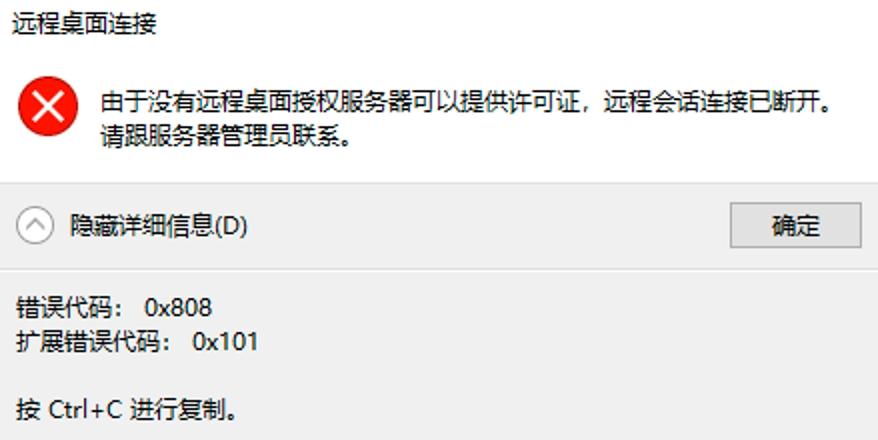
由于没有远程桌面授权服务器可以提供许可证,远程会话连接已断开。请跟服务器管理员联系。
故障处理办法
使用windows操作系统,使用命令行发起远程
mstsc /v: 172.30.3.51 /admin
注册表提权
HKEY_LOCAL_MACHINE\SYSTEM\CurrentControlSet\Control\Terminal Server\RCM\GracePeriod
powershell、任务计划程序,配置每月自动删除注册表
# 重置远程桌面服务(RDS)的 120 天宽限期(Grace Period)
# 作者:[你的名字]
# 日期:[日期]`

# 定义所需的 .NET 类型
Add-Type -TypeDefinition @"
using System;
using System.Runtime.InteropServices;
using System.Security.AccessControl;
using System.Security.Principal;

namespace Win32Api {
    public class NtDll {
        [DllImport("ntdll.dll", EntryPoint = "RtlAdjustPrivilege")]
        public static extern int RtlAdjustPrivilege(ulong Privilege, bool Enable, bool CurrentThread, ref bool Enabled);
    }
}
"@ -PassThru

# 启用必要的权限(SeTakeOwnershipPrivilege)
$privilegeEnabled = $false
[Win32Api.NtDll]::RtlAdjustPrivilege(9, $true, $false, [ref]$privilegeEnabled) | Out-Null

# 定义注册表路径
$registryPath = "HKEY_LOCAL_MACHINE\SYSTEM\CurrentControlSet\Control\Terminal Server\RCM\GracePeriod"

# 打开注册表项并获取权限
$key = [Microsoft.Win32.Registry]::LocalMachine.OpenSubKey(
    "SYSTEM\CurrentControlSet\Control\Terminal Server\RCM\GracePeriod",
    [Microsoft.Win32.RegistryKeyPermissionCheck]::ReadWriteSubTree,
    [System.Security.AccessControl.RegistryRights]::TakeOwnership
)

# 获取当前访问控制列表(ACL)
$acl = $key.GetAccessControl()

# 设置注册表项的所有者为 Administrators
$acl.SetOwner([System.Security.Principal.NTAccount]"Administrators")

# 更新注册表项的访问控制列表
$key.SetAccessControl($acl)

# 添加 Administrators 的完全控制权限
$rule = New-Object System.Security.AccessControl.RegistryAccessRule(
    "Administrators",
    "FullControl",
    "Allow"
)
$acl.SetAccessRule($rule)
$key.SetAccessControl($acl)

# 删除 GracePeriod 注册表项以重置宽限期
Remove-Item "HKLM:\SYSTEM\CurrentControlSet\Control\Terminal Server\RCM\GracePeriod" -Force

# 提示操作完成
Write-Host "远程桌面服务(RDS)的宽限期已重置为 120 天。"

Restart-Service -Name TermService -Force